



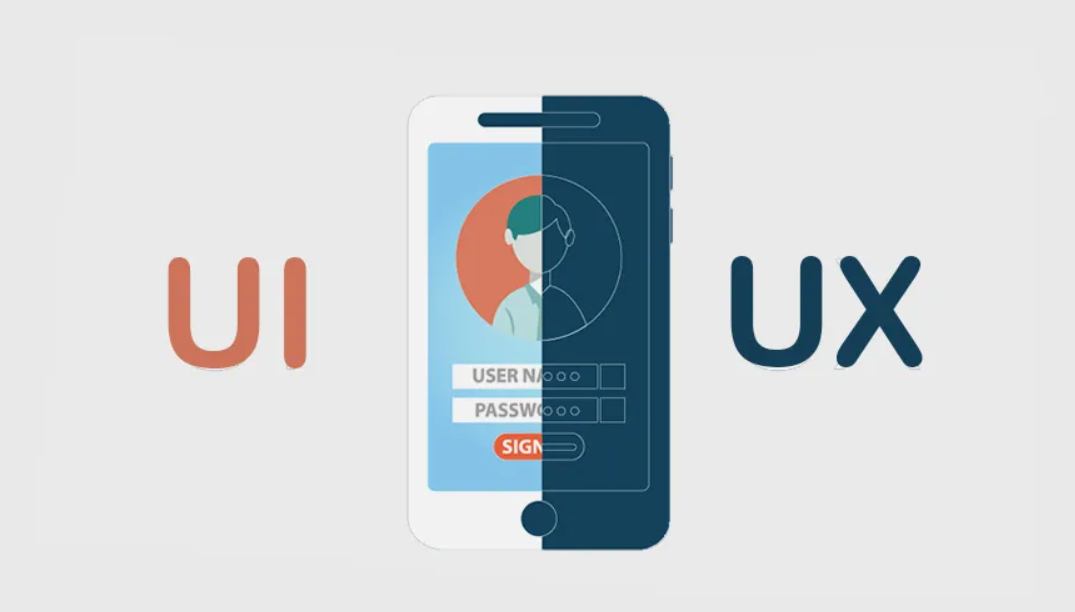



In a world where attention is scarce, experience is the real differentiator. Users want tools that feel intuitive, fast, and predictable. They don’t want to “learn the app.” They want to achieve a goal—book a service, purchase a product, manage a process, or get information—without friction. UI/UX Design is the foundation for that kind of experience.
At Global Technology Services, we design interfaces that support business outcomes: increased conversion, higher engagement, reduced support tickets, and improved retention. We work with startups and enterprises to create web and mobile products that look great, behave consistently, and make users feel confident at every step.
UI and UX are often mentioned together, but they are not the same thing. They solve different problems—and when they work together, the product feels “right.” In the sections below, we explain the difference, why it matters for revenue and growth, and how we deliver UI/UX design in a way that’s measurable and buildable.
UI (User Interface) Design focuses on how a product looks and how users interact with the visual layer. Buttons, forms, typography, layout, spacing, colors, icons, states (hover, disabled, loading), animations—these are UI decisions. A strong UI builds trust quickly. It feels consistent, polished, and professional.
UI design also includes the “micro-details” that users may not consciously notice, but will definitely feel: alignment, readability, contrast, click targets, error messaging, and visual hierarchy. When UI is weak, even a powerful product feels confusing or unreliable.
UX (User Experience) Design focuses on the end-to-end experience of using the product. It answers questions like: Who are the users? What are they trying to accomplish? What blocks them? What information do they need first? What actions should be easy, and what actions must be protected with confirmations?
UX covers structure and logic: information architecture, navigation, flows, wireframes, error prevention, onboarding, and how the product behaves in edge cases. Good UX reduces cognitive load, prevents mistakes, and turns complex functionality into a simple, guided journey.
The primary purpose of any business is to grow—more leads, higher conversion, more retention, and stronger brand loyalty. UI/UX design impacts each of these directly. When users can navigate smoothly and feel confident, they take action faster. When the interface is inconsistent or confusing, they abandon the process.
A product can have brilliant features and still fail if people struggle to use it. Users rarely complain; they simply leave. That is why UI/UX is not “just aesthetics.” It is a business strategy that influences revenue, churn, referrals, and long-term product value.
A successful design system is built from multiple disciplines that connect strategy, structure, and visuals. Here are the most important elements we use in our UI/UX work:
Interaction Design
Interaction design defines how users engage with the interface: taps, clicks, gestures, transitions, feedback, and system responses.
It includes how components behave under different states—loading, errors, success, empty screens, and permission boundaries.
Great interaction design makes the interface feel responsive and predictable.
Information Architecture
Information architecture (IA) is how content and features are organized so users can find what they need.
IA focuses on navigation patterns, labels, hierarchy, and how to structure pages into a coherent system.
Without strong IA, even a beautiful UI becomes hard to use.
Wireframing
Wireframes are low-fidelity layouts that define structure before visual polish.
They allow teams to validate flow and usability quickly, without spending time on colors and styling.
Wireframing helps identify missing steps, unclear navigation, and unnecessary complexity early—before development starts.
Usability and Accessibility
Usability means users can achieve goals efficiently and recover from errors easily.
Accessibility ensures the product is usable for more people, including users with impairments or different browsing behaviors.
This includes keyboard navigation, contrast ratios, readable typography, screen-reader support, and clear focus states.
Visual Design
Visual design expresses brand personality and supports clarity. It is not about decoration; it is about hierarchy and meaning.
Good visual design guides the eye: what’s most important, what’s secondary, and what action should happen next.
Visual consistency also enables teams to scale features without breaking the product experience.
UI and UX are equally important—but they solve different problems. UX makes the product usable and logical. UI makes the product clear, trustworthy, and pleasant to interact with. If you focus on only one, you risk building:
The best products align UI and UX so the interface looks great and also feels effortless. That alignment is what turns “feature delivery” into “product success.”
Our process is structured enough to deliver consistently, but flexible enough to match your team’s workflows. We work with startups that need fast iteration and enterprises that require formal documentation and stakeholder alignment.
1) Discovery & Goals
We start by understanding your product, target users, business objectives, and constraints.
This phase clarifies what success looks like: conversion goals, retention goals, onboarding speed, operational needs, and technical reality.
2) Research & Insights
Depending on the project, we analyze user feedback, support tickets, analytics, competitor benchmarks, and stakeholder input.
For new products, we define personas and key scenarios. For existing products, we identify friction points and usability gaps.
3) Information Architecture & User Flows
We map how users move through the system: entry points, navigation, decision points, and success states.
We define screen hierarchy and ensure workflows are consistent and scalable.
4) Wireframes & Rapid Validation
We create wireframes for key screens and flows. This stage is where most clarity happens.
Stakeholders can validate logic early, saving time and cost before development.
5) UI Design & Design System
Next, we design high-fidelity UI screens and define reusable components: buttons, forms, tables, cards, modals, alerts, and typography.
We build a component-driven approach so the UI remains consistent as the product grows.
6) Prototyping & Usability Testing
We create clickable prototypes to simulate real behavior and validate experience before development.
Usability testing can be light (internal validation) or structured (target-user testing) depending on your needs.
7) Design-to-Development Handoff
Great design must be buildable. We deliver assets, specifications, component rules, and interaction notes.
We support your developers during implementation to ensure accuracy, consistency, and correct behavior across breakpoints.
8) Iteration & Continuous Improvement
After release, we refine. Products evolve. We help you optimize onboarding, conversion flows, and feature discoverability based on real usage.
UI/UX is not “done” once—it improves with feedback.
The deliverables depend on your goals, but typically include:
UI/UX needs differ depending on maturity.
For startups, the priority is speed to value: MVP definition, clear flows, fast prototyping, and a UI foundation that can scale. We help reduce wasted development by validating concepts early.
For enterprises, the priority often includes governance, accessibility, consistency across teams, and compatibility with existing systems. We build design systems, standardize patterns, and help large teams move faster without sacrificing quality.
A conversion drop is rarely caused by one “big” issue. It is typically death by a thousand cuts: unclear labels, confusing navigation, too many steps, hidden CTAs, weak error messages, slow feedback, inconsistent layout, or missing trust signals. UI/UX design addresses those cuts systematically.
Whether you are launching a new product or improving an existing one, we can help you build an experience that users love—and that supports your business goals. Tell us your product type, target audience, and current challenges, and we’ll propose a practical UI/UX plan.